

Artificial intelligence has completely changed the photo editing game. Tasks that once took hours — removing backgrounds, restoring old portraits, upscaling blurry images — now take seconds. Whether you're a professional photographer or a casual Instagram user, there's an AI editing tool built exactly for you.
In this guide, we've tested and ranked the 8 best AI photo editing tools of 2025 — covering everything from free browser-based apps to professional desktop software. Let's dive in.
1. Adobe Photoshop — Best for Professionals

Adobe Photoshop remains the industry standard — and its AI features have made it more powerful than ever. The standout addition is Generative Fill, powered by Adobe Firefly, which lets you extend backgrounds, remove unwanted objects, and synthesize entirely new elements using a simple text prompt.
- ✅ Generative Fill & Generative Expand
- ✅ AI-powered sky replacement
- ✅ Neural Filters (face smoothing, colorization)
- ✅ Full RAW file support
- ⚠️ Steep learning curve for beginners
💰 Price: From $22.99/month | 🌐 Visit Adobe Photoshop →
2. Luminar Neo — Best AI-First Editor
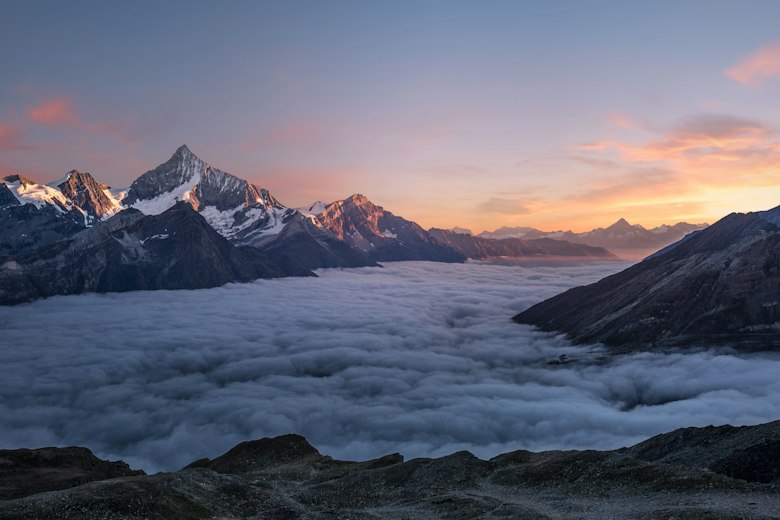
Built entirely around AI from day one, Luminar Neo is the choice for photographers who want stunning results without spending hours in front of a screen. Its unique Relight AI tool can change the lighting direction of an already-captured photo — a feature that genuinely feels like magic.
- ✅ Relight AI (change light direction post-capture)
- ✅ AI Sky Replacement with realistic reflections
- ✅ Portrait Bokeh AI
- ✅ Noiseless AI for grain reduction
- ⚠️ No mobile app
💰 Price: From $9.95/month | 🌐 Visit Luminar Neo →
3. Topaz Photo AI — Best for Detail Recovery
If you've ever despaired over a blurry, grainy, or low-resolution image, Topaz Photo AI is the tool you didn't know you needed. Its upscaling engine can take a tiny image and produce a crisp, print-ready result that genuinely defies what should be physically possible.
- ✅ AI Upscale up to 600%
- ✅ Sharpen AI — fixes motion blur & focus issues
- ✅ DeNoise AI — best-in-class noise removal
- ✅ Face Recovery AI
- ⚠️ No free plan; one-time cost only
💰 Price: $199 one-time | 🌐 Visit Topaz Photo AI →
4. Canva AI — Best for Content Creators
Canva has quietly become a serious AI powerhouse. Its Magic Edit, Magic Erase, and AI image generation features are woven into a drag-and-drop design workflow that lets anyone produce professional-looking content in minutes — no Photoshop skills required.
- ✅ Magic Edit — change anything with a prompt
- ✅ Magic Erase — one-click object removal
- ✅ Text to Image generator
- ✅ Huge free plan available
- ⚠️ Less control than dedicated photo software
💰 Price: Free / Pro from $15/month | 🌐 Visit Canva AI →
5. Midjourney — Best for AI Image Generation
Midjourney isn't a traditional photo editor — it's an image generation powerhouse. With its Vary Region feature, you can now select specific areas of a generated or uploaded image and alter them using text prompts, bringing powerful in-image editing to the mix.
- ✅ World-class text-to-image quality
- ✅ Vary Region inpainting
- ✅ Style Reference & Character Reference
- ✅ Upscale & re-imagine tools
- ⚠️ Discord-based interface (web UI improving)
💰 Price: From $10/month | 🌐 Visit Midjourney →
6. Remini — Best Mobile Portrait Restorer
Remini is the app that went viral for good reason — its face restoration AI is genuinely remarkable. Feed it a grainy 1970s family snapshot and it returns a sharp, detailed portrait that looks freshly captured. It's one of the most satisfying AI tools to use.
- ✅ Face & portrait restoration
- ✅ Photo colorization (B&W to color)
- ✅ Video enhancement
- ✅ Great free tier
- ⚠️ Limited to portrait/face-focused edits
💰 Price: Free / Pro $9.99/month | 🌐 Visit Remini →
7. Adobe Lightroom — Best for Photography Workflows
Lightroom's AI features have transformed the classic photographer's workflow. The AI masking — which precisely selects subjects, skies, and backgrounds in one click — combined with the jaw-dropping AI Denoise tool make it indispensable for anyone shooting in RAW.
- ✅ AI Denoise (extraordinary quality)
- ✅ Subject, Sky & Background masking AI
- ✅ Generative Remove
- ✅ Excellent mobile + desktop sync
- ⚠️ Subscription only, no one-time purchase
💰 Price: From $9.99/month | 🌐 Visit Adobe Lightroom →
8. Picsart AI — Best Free Option
Picsart delivers a surprisingly capable AI editor at zero cost. Prompt-driven edits, one-tap background removal, AI filters, and a huge template library make it the easiest starting point for social-media creators who want pro-level results without any learning curve.
- ✅ Prompt-based edits ("make it vintage")
- ✅ AI background remover
- ✅ One-tap photo enhancements
- ✅ iOS, Android & Web
- ⚠️ Watermarks on free plan exports
💰 Price: Free / Gold from $5/month | 🌐 Visit Picsart →
🏆 Final Verdict
Here's the quick-pick guide based on who you are:
| You Are... | Best Tool |
|---|---|
| Professional photographer / retoucher | Adobe Photoshop |
| Landscape / travel photographer | Luminar Neo |
| Photographer fixing blurry/old photos | Topaz Photo AI |
| Social media content creator | Canva AI |
| Complete beginner on a budget | Picsart AI (Free) |
The bottom line? AI has made professional photo editing accessible to everyone. You no longer need years of Photoshop experience to produce stunning images — you just need the right tool. Pick the one that matches your needs above, and start creating.
Last updated: April 2025. Prices and features are subject to change. Always check the official website for the latest information.